Using jooling
Manager web navigation
Find every manager workspace and know when to use it.
| Area | Use it for |
|---|---|
| Overview | Current staffing picture, next actions, and important counts |
| Clock | Your own Time Entries and punches |
| Schedule | Create drafts, assign Shifts, review conflicts, and publish |
| Roster | Today's published Shifts across your Locations, with print |
| Workers | Invitations, Employment details, wages, PINs, and documents |
| Time off | Review requests and leave decisions |
| Timesheets | Approve or decline completed Time Entries |
| Coverage | Decide releases, pickups, and swaps |
| Messages | Workplace conversations |
| Announcements | Workplace-wide notices |
| Reports | Hours, labor, sales, coverage, and CSV exports |
| Activity | Your notification Inbox and the audit trail |
| Settings | Configure Workplace rules and reusable scheduling tools |
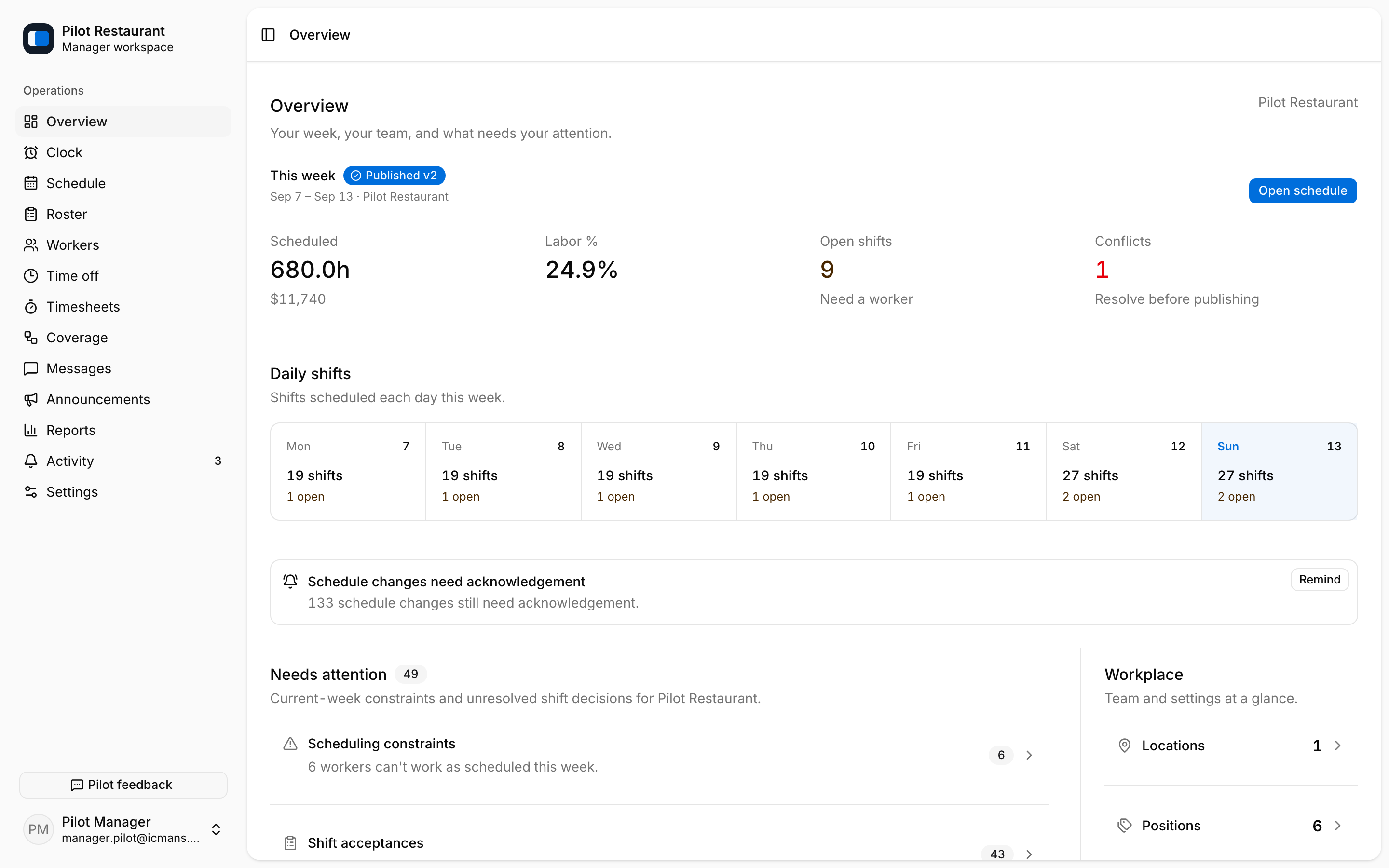
The side navigation only shows areas allowed by your role and capabilities. Some operational areas appear only when the Workplace enables the corresponding feature. On narrow screens, use the menu button to open navigation.
Use the profile menu to switch theme or sign out. If an expected area is missing, confirm the current Workplace and ask a Manager with access to review your permissions.