Notifications and status
Understand inbox, push, email, delivery, and required actions.
Where notifications appear
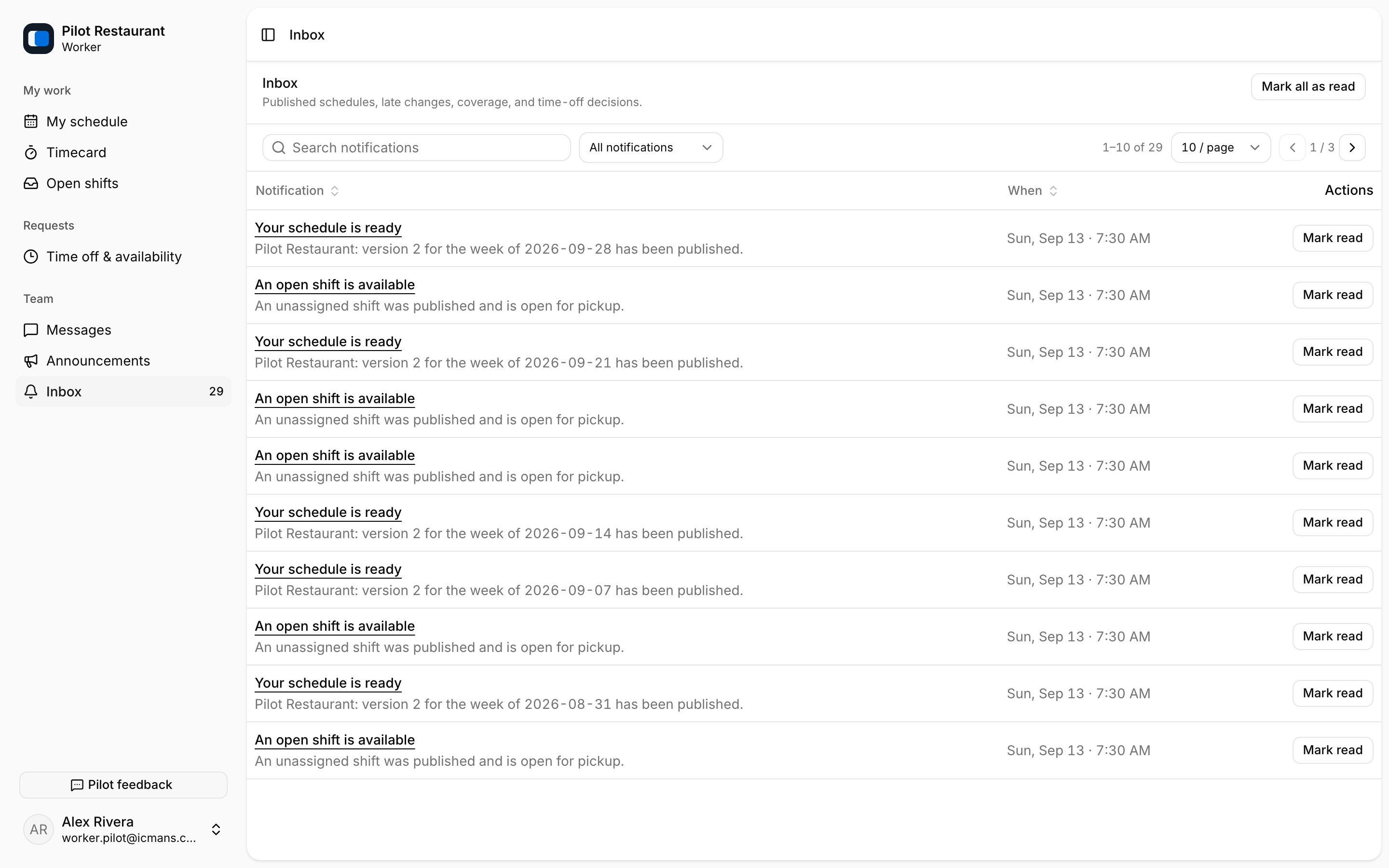
Inbox is the durable list inside jooling. Mobile push alerts draw attention to new items, and invitation email helps a person join. Push and email may be delayed or disabled, so always use the current schedule and Inbox when confirming work.
Delivery words
- Sent: jooling handed the message to the delivery service.
- Delivered: that service accepted or reported delivery.
- Acknowledged: the Worker explicitly selected I saw this.
Delivery does not equal Acknowledgement. Opening a schedule does not automatically acknowledge it.
Required actions
Unread notifications and required schedule responses are different. Marking an Inbox item read clears its unread state, but it does not acknowledge a Schedule, accept a Shift, approve a request, or finish another action. Follow the notification to the relevant screen and use the named action there.
Managers can remind Workers who have not acknowledged a publication. Managers can also follow each publication's delivery state — who was sent the schedule, who received it, and who has seen it — from the Schedule page. Before sending a second reminder after a connection problem, check Activity and the delivery status.