Communication and reports
Announcements, messages, activity, and reporting.
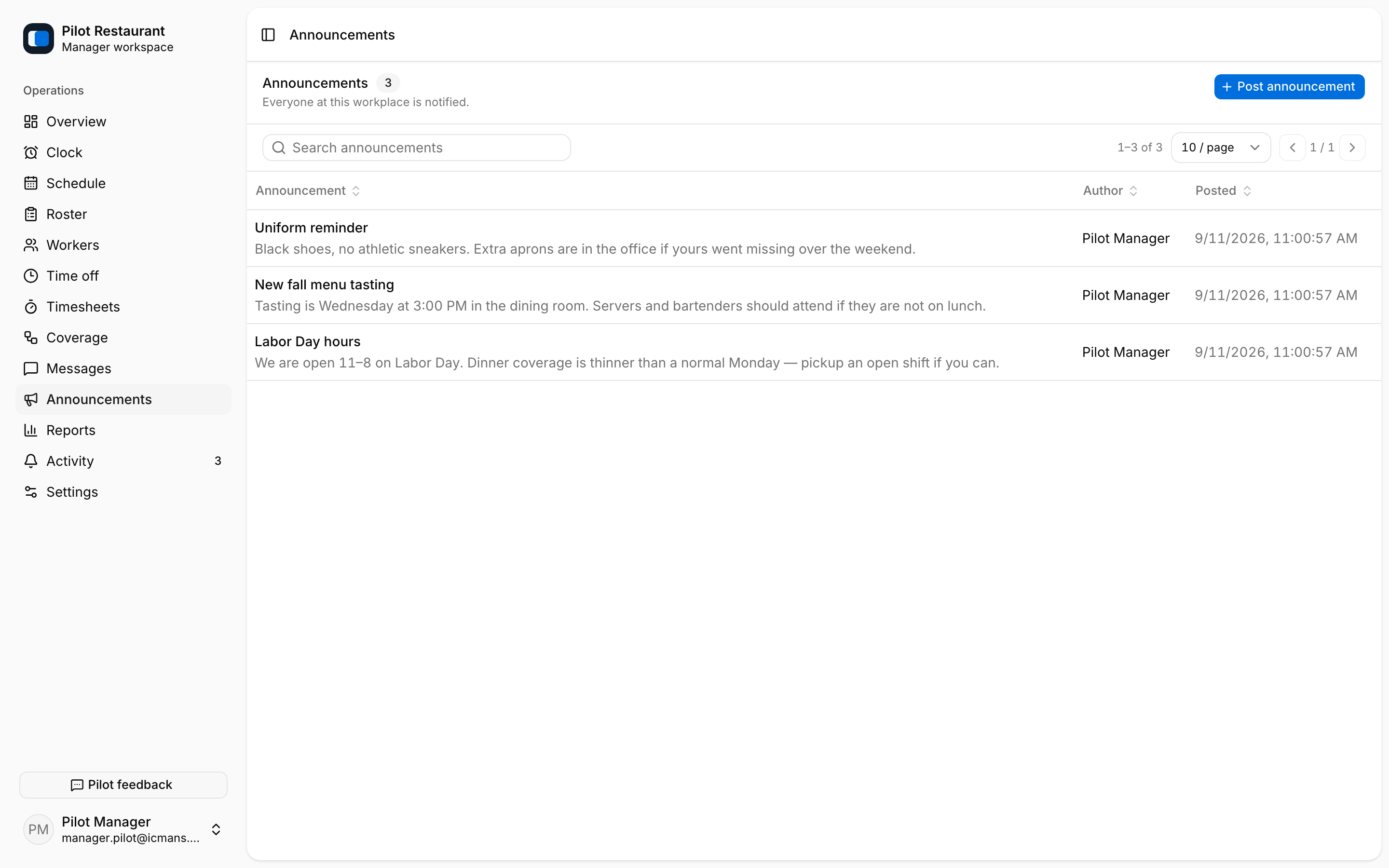
- Announcements are Workplace-wide notices. Posting one notifies everyone at the Workplace.
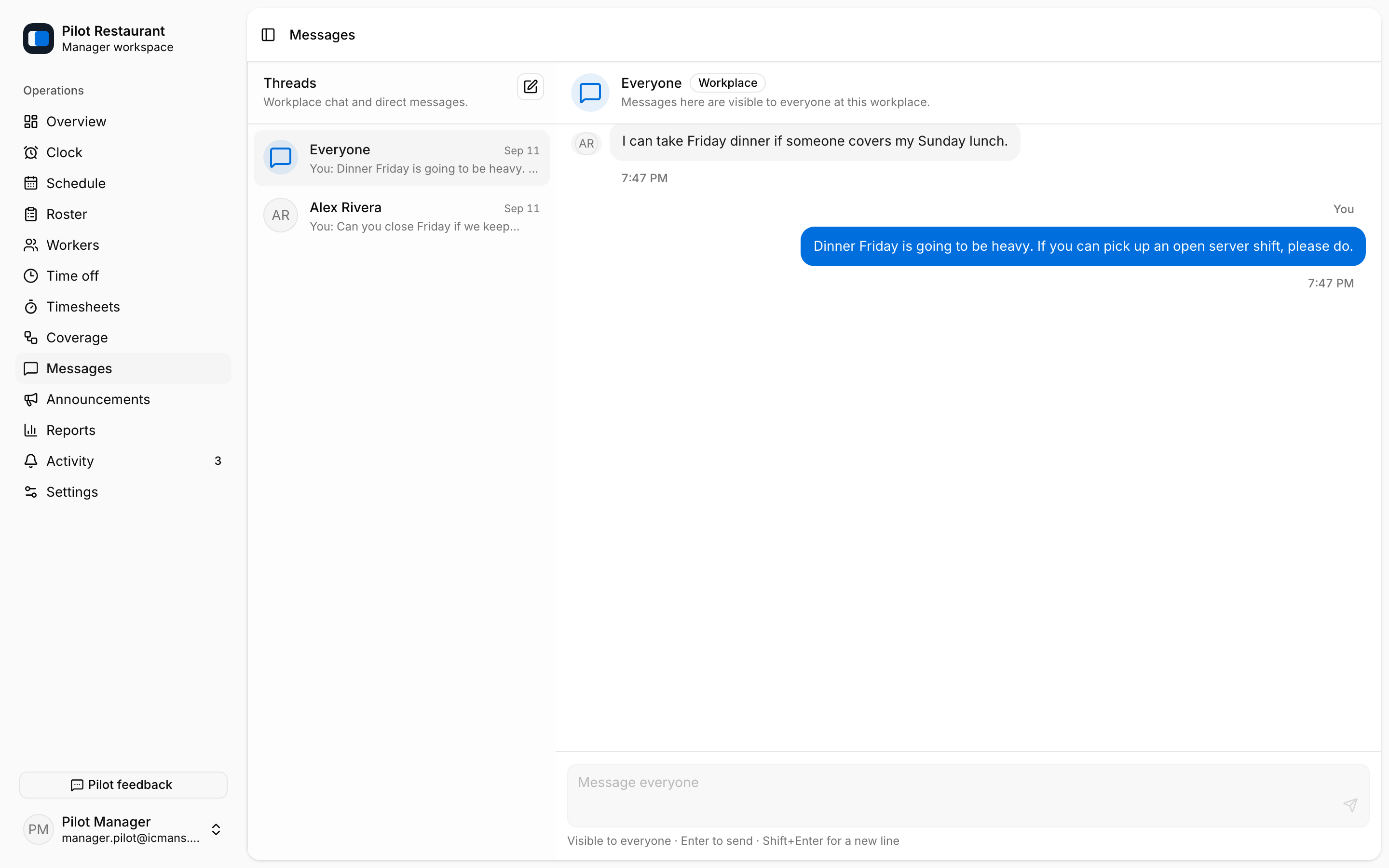
- Messages are conversations between people in the Workplace: an Everyone thread plus private direct threads.
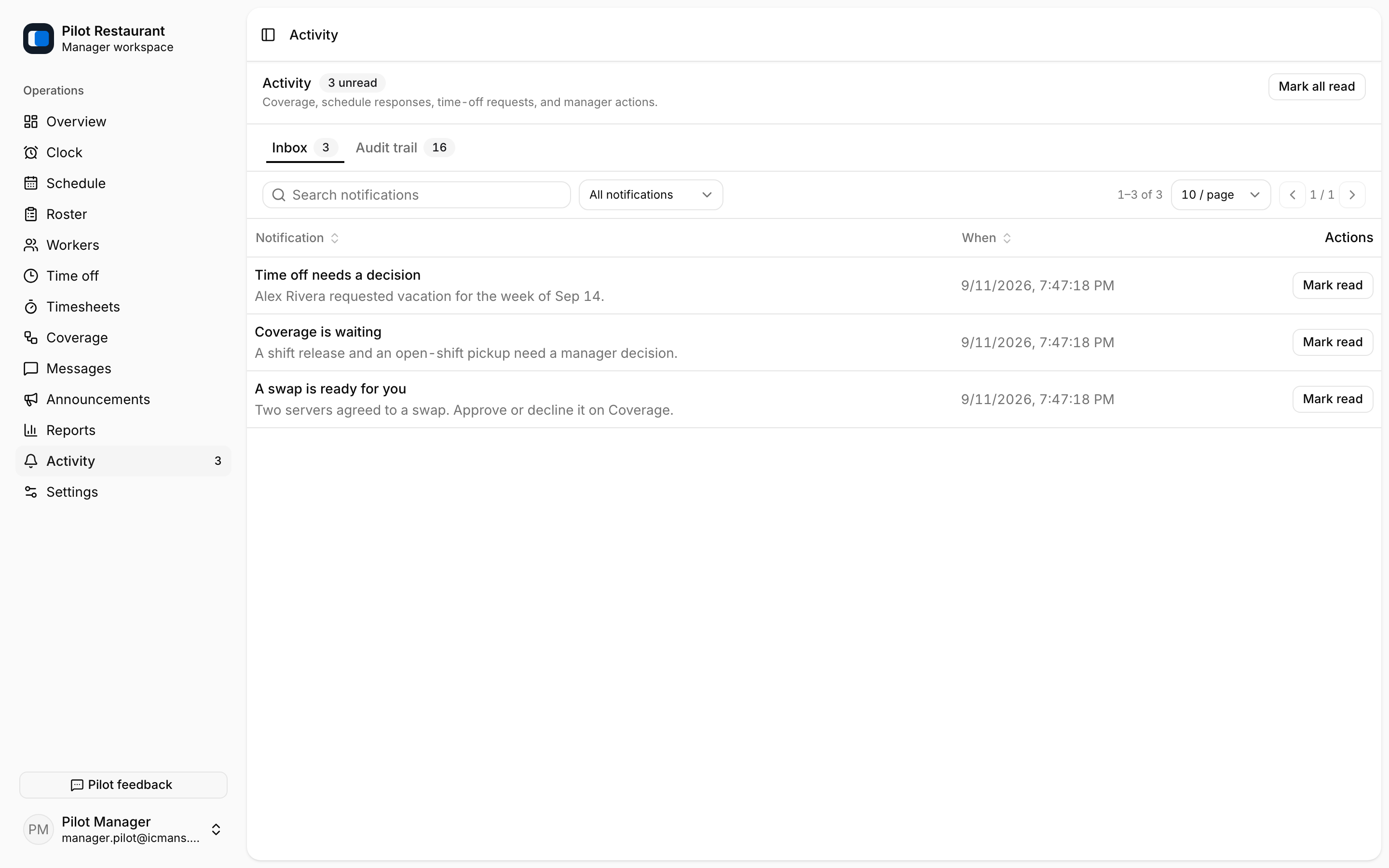
- Inbox (inside Activity) is the durable record of notifications; push is a best-effort alert.
- Invitation email exposes its delivery state to Managers in the Workers directory.
“Sent” means a message left jooling, not that a person saw it. “Delivered” means the email or push service accepted it. Only an explicit Acknowledgement records that a Worker selected I saw this.
Activity
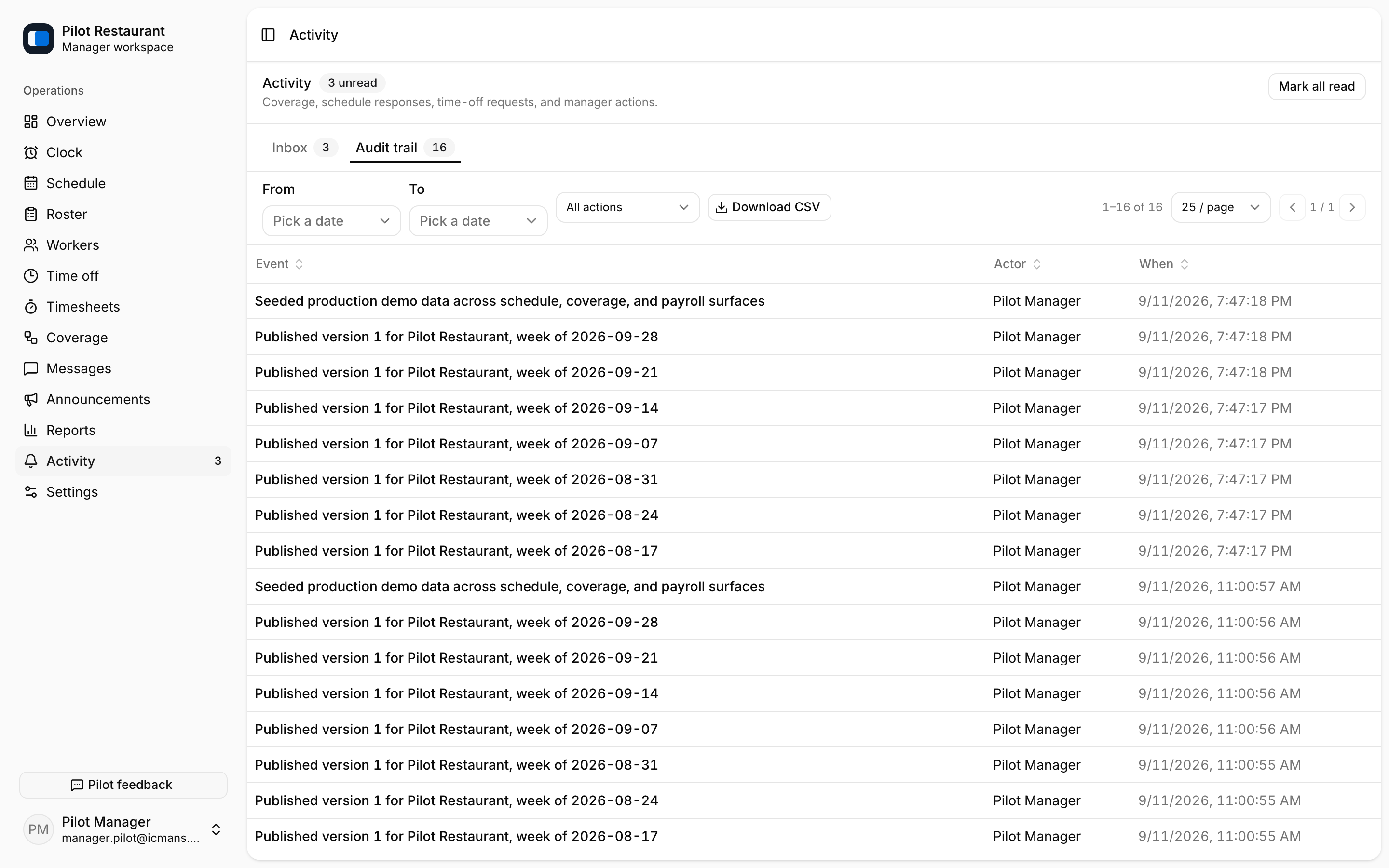
Activity has two parts: Inbox, your notification list with read states, and Audit trail, a filterable record of manager actions such as publications, reminders, coverage decisions, attendance marks, and time-entry edits. The audit trail can be downloaded as CSV.
Managers can send a reminder to Workers who have not acknowledged a published Schedule. If the result is uncertain after a connection problem, check Activity before sending another reminder.
Reports
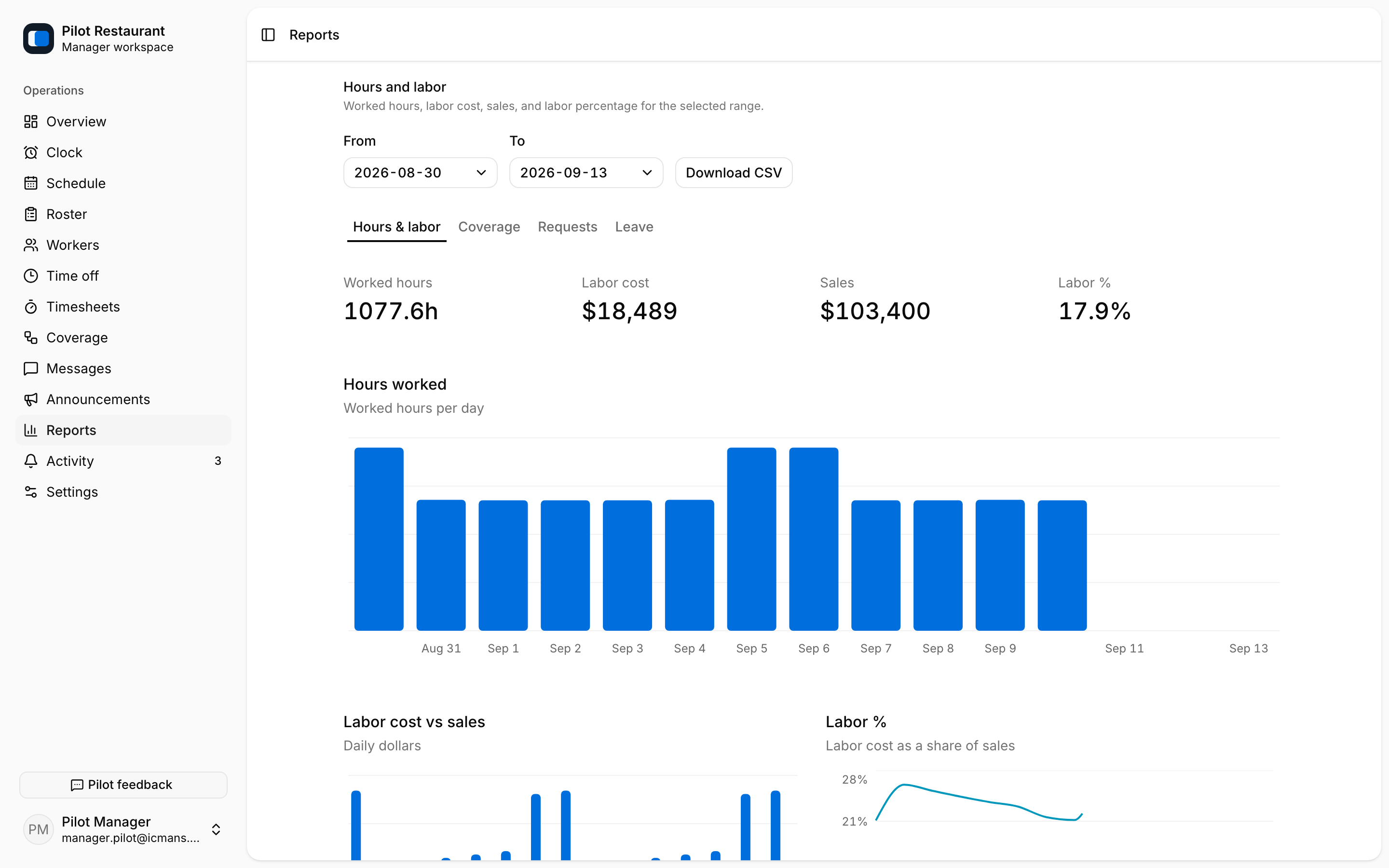
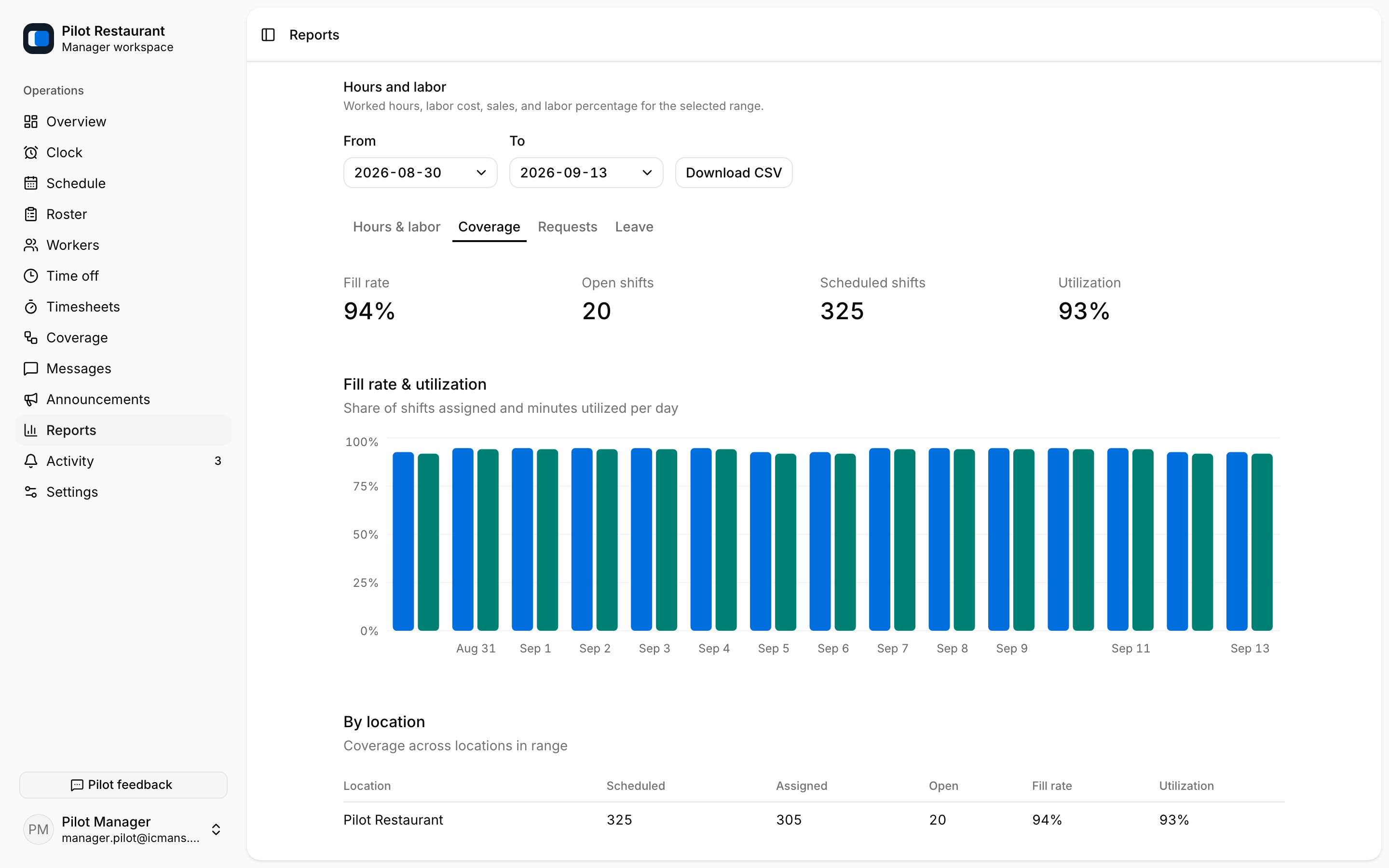
Reports covers scheduled and worked hours, Labor Cost, manual Daily Sales, labor percentage, coverage, and requests — organized into Hours & labor, Coverage, Requests, and Leave tabs. Worked hours and attendance columns export as CSV.
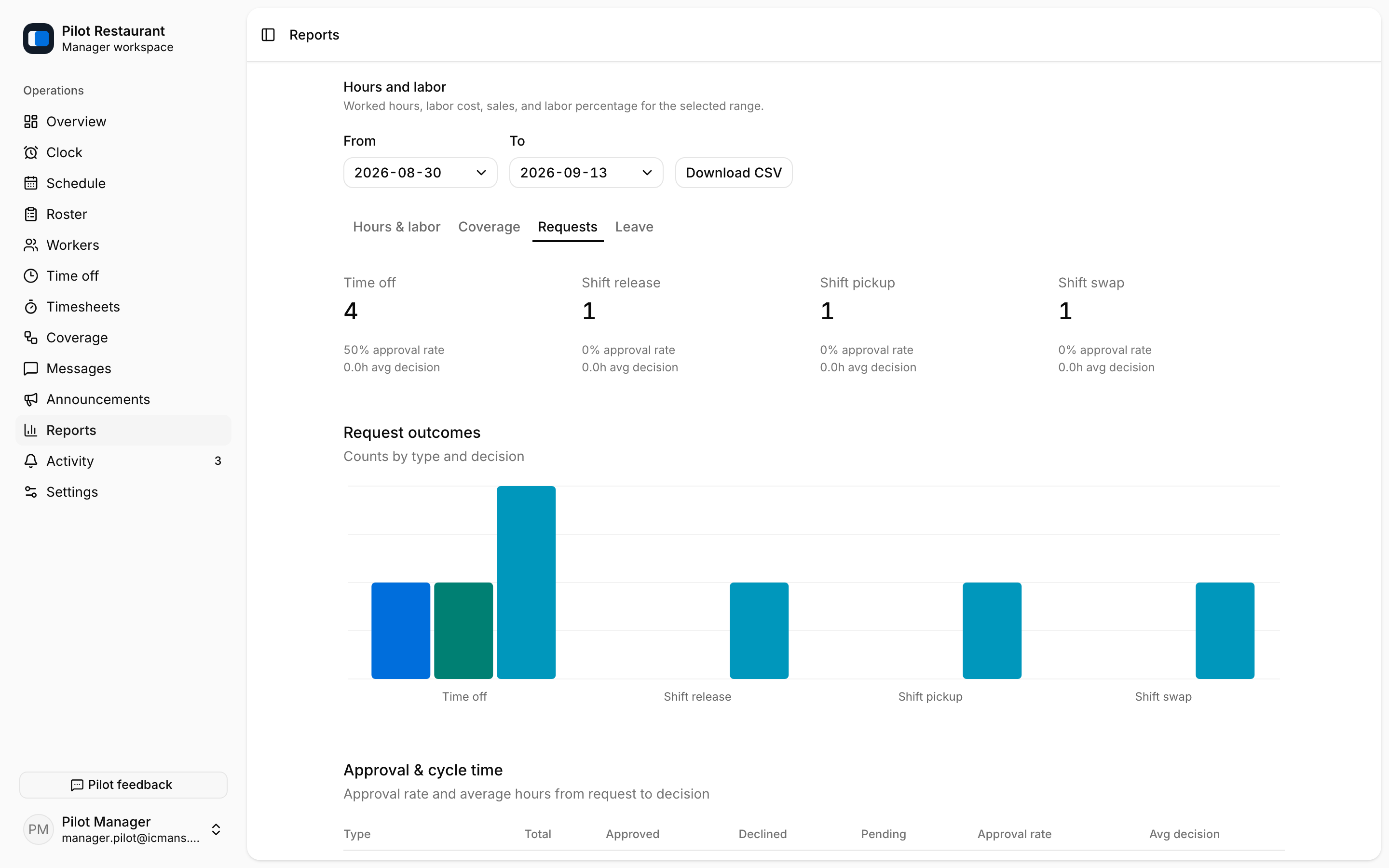
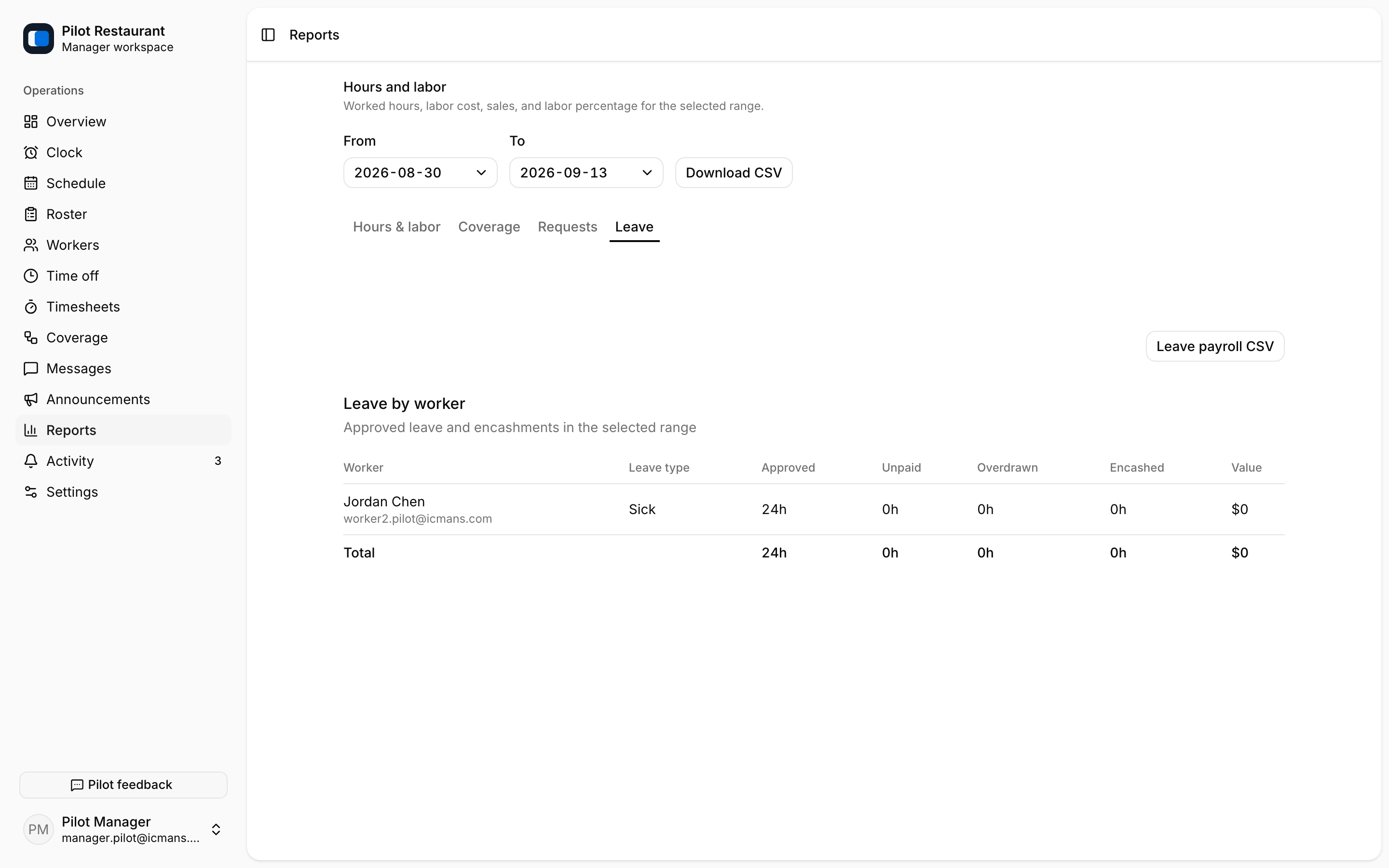
The Requests tab summarizes time-off, release, pickup, and swap decisions with approval rates; the Leave tab tracks balances and can export a leave payroll CSV.
These are operational reports, not payroll records.