Settings guide
Workplace and company
Configure the Workplace name, week, pay, labor, notice, and team visibility.
Open Settings → General for the core Workplace settings used by schedules and reports:
- Identity — the Workplace name.
- Week & pay — the start of week and the pay period (weekly, every two weeks, semimonthly, or monthly) with its anchor date.
- Labor — weekly and daily overtime thresholds, the labor cost goal, and whether Managers can view labor cost.
- Late changes — the Notice Window that decides when a changed Shift needs a Worker's explicit acceptance.
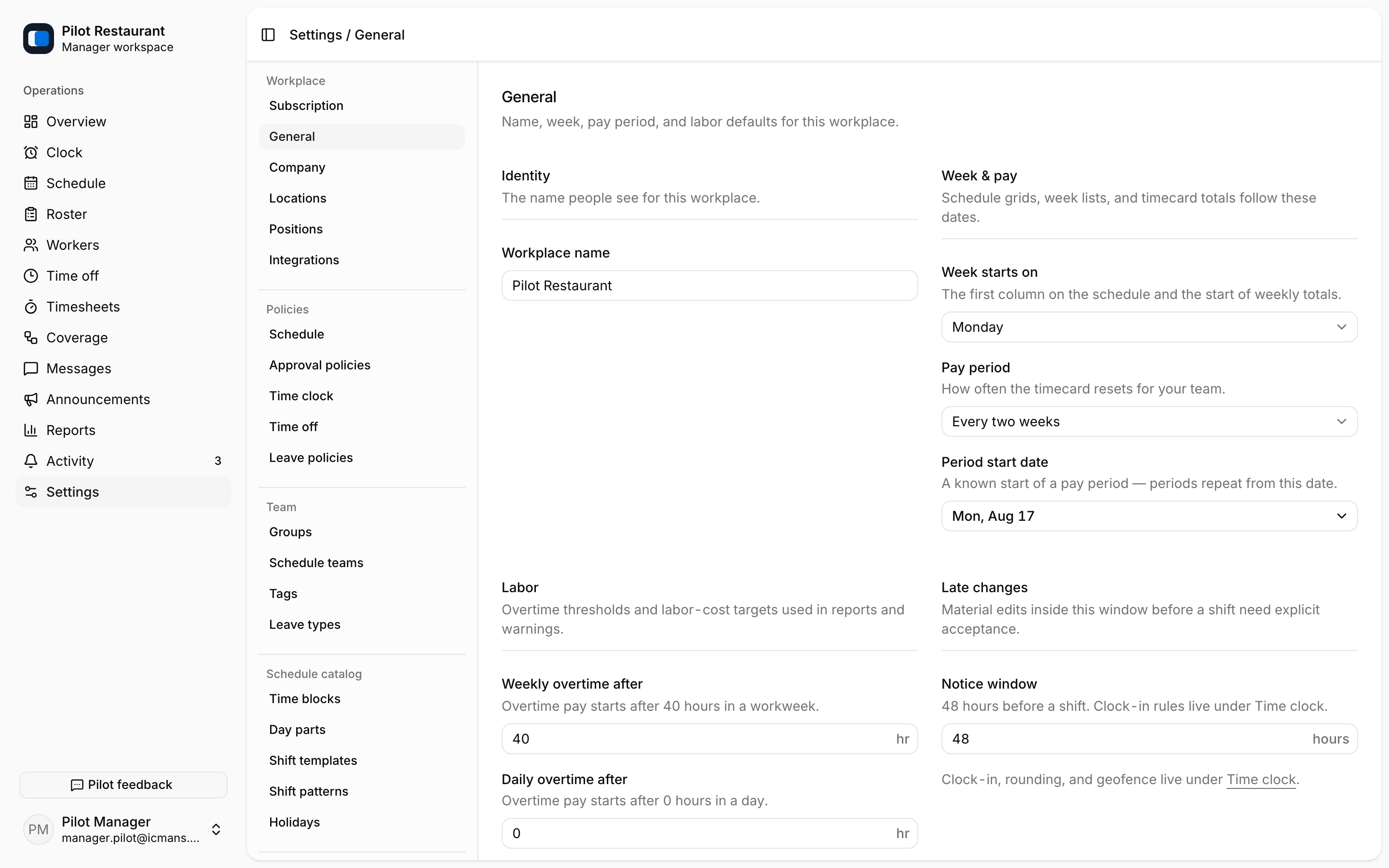
Changing the week start affects how weekly Schedules are grouped; make the change between planning cycles when possible. Workplace settings never rewrite previously published Schedule Versions.
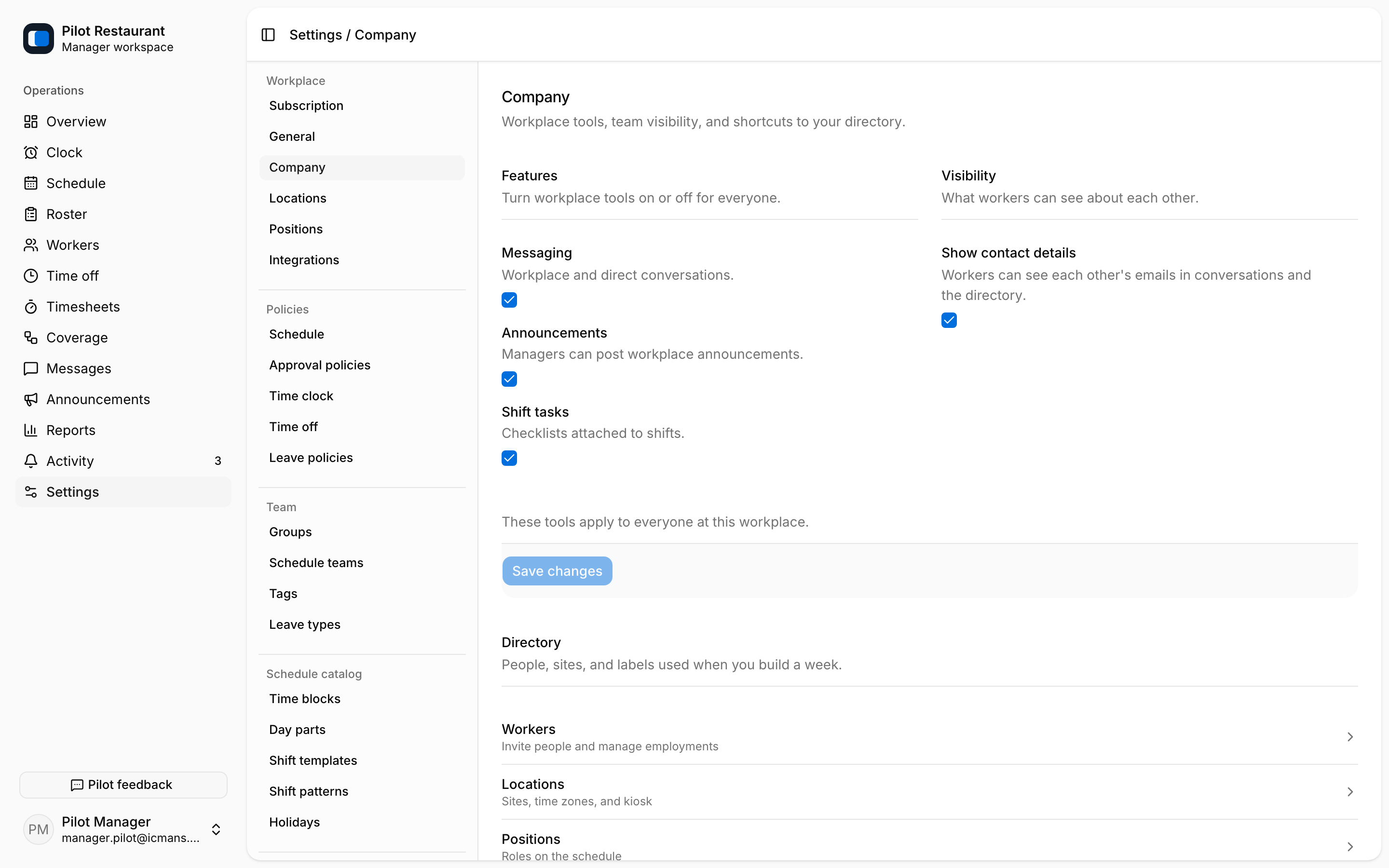
Open Settings → Company for Workplace-wide behavior: whether Messaging, Announcements, and Shift tasks are available, and whether worker contact details are visible.
Before saving
- Tell Managers when a week or labor setting will change.
- Finish or review active drafts that depend on the current week structure.
- Save the setting.
- Open a future week or the affected communication area to confirm the result.